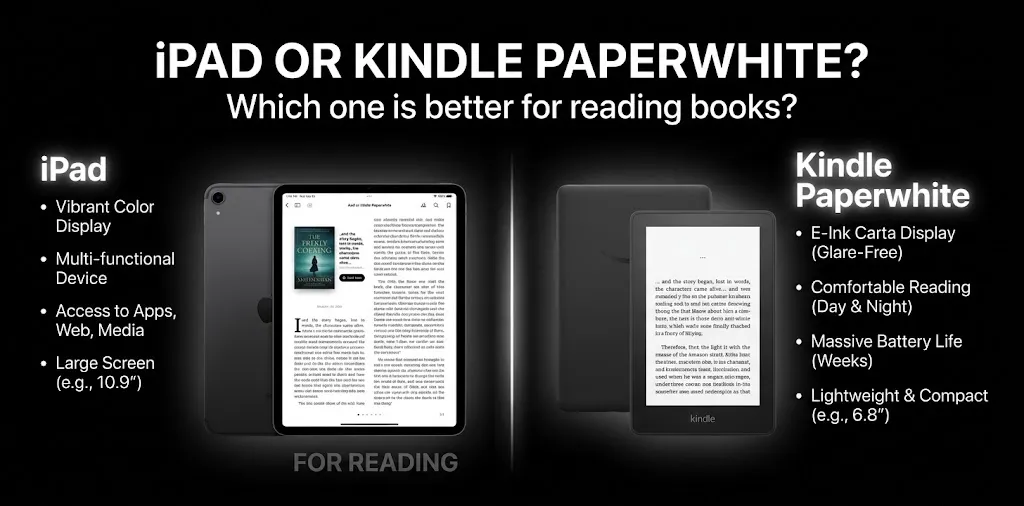
iPad or Kindle Paperwhite? Which one is better for reading books?

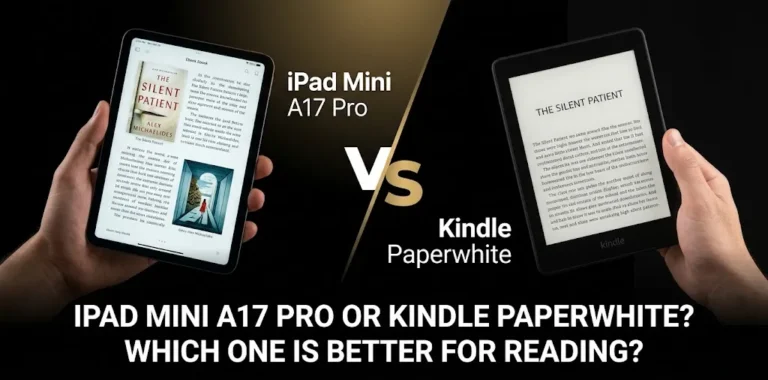
If your main goal is reading novels and other regular books, the Kindle Paperwhite is usually better than an iPad. Its glare-free E Ink screen, lighter design, adjustable warm light, waterproof build, and battery life of up to 12 weeks make it better suited to long reading sessions. An iPad is the better choice if you also want color, apps, PDFs, web browsing, note-taking, and other tablet features.
The right choice depends less on the brand and more on what you read, how long you read, and what else you want the device to do.
iPad vs. Kindle Paperwhite at a Glance
The two devices can both display ebooks, but they are designed for very different jobs. The current Kindle Paperwhite is a dedicated e-reader, while the standard iPad is a full tablet that happens to be an excellent reading device.
| Feature | Kindle Paperwhite | iPad |
|---|---|---|
| Main purpose | Reading ebooks | Tablet and general computing |
| Display | 7-inch E Ink | 11-inch Liquid Retina on the current standard iPad |
| Reading outdoors | Excellent | Good, but reflective LCD is less ideal |
| Long reading sessions | Better suited | Less specialized for reading |
| Battery | Up to 12 weeks | Up to 10 hours of web/video use |
| Weight | Much lighter | About 1.05 lb for the Wi-Fi model |
| Color | No | Yes |
| PDFs | Good for many simple documents | Better for complex PDFs |
| Comics and magazines | Limited compared with a tablet | Better |
| Apps | Limited Kindle software | Large app ecosystem |
| Distractions | Very few | Many possible |
| Waterproofing | IPX8 | Not designed as a waterproof reader |
| Notes and multitasking | Basic reading tools | Much more capable |
| Best for | Books and long reading | Books plus everything else |
The current 12th-generation Kindle Paperwhite has a 7-inch, 300-ppi display, 16GB of storage, adjustable warm light, dark mode, IPX8 water resistance, and up to 12 weeks of battery life.
The current 11-inch iPad has a 10.86-inch viewable Liquid Retina display, 264 ppi, True Tone, 500 nits of brightness, and Apple rates it for up to 10 hours of web surfing or video playback. The Wi-Fi model weighs 477 grams (about 1.05 pounds).
Kindle Paperwhite Is Better for Most Book Readers
If by “reading books” you mainly mean novels, biographies, memoirs, self-help books, or other text-heavy ebooks, the Kindle Paperwhite has a clear advantage.
Its biggest strength is that the entire device is built around reading.
The E Ink screen feels more like a book
The Kindle Paperwhite uses an E Ink display rather than the LCD-style screen found on an iPad. Amazon describes the Paperwhite’s 300-ppi display as glare-free and designed to read like paper.
That matters when you spend an hour or two reading instead of checking a message for five minutes.
You can also adjust the warm light and use dark mode, which gives you more control over the display when reading in different lighting conditions.
An iPad’s screen is sharper, brighter, and much more colorful, but it is still a tablet display. For someone buying a device mainly for long-form reading, the Paperwhite’s simpler screen is often the better fit.
Kindle is easier to use for long reading sessions
The Paperwhite is designed to disappear into the background while you read.
There are no social media notifications, video apps, games, or dozens of other things competing for your attention. Amazon specifically positions the Paperwhite as a purpose-built reading device intended to reduce distractions.
That can make a real difference if you tend to pick up your iPad to read and end up checking YouTube, email, or social media.
Kindle wins easily on battery life
Battery life is one of the biggest differences between these devices.
Amazon rates the current Kindle Paperwhite for up to 12 weeks of battery life under its stated conditions.
Apple rates the current standard iPad for up to 10 hours of web surfing on Wi-Fi or watching video.
Those measurements are not directly comparable because the companies test the devices differently, but the practical difference is still obvious: a Kindle is designed to go for weeks between charges, while an iPad is normally charged much more often.
If you travel frequently or simply dislike charging your electronics, the Paperwhite has a major advantage.
iPad Is Better for More Than Just Books
The iPad becomes the better option when your reading habits go beyond ordinary ebooks.
iPad is better for PDFs and study materials
If you regularly read textbooks, research papers, large PDFs, scanned documents, or other fixed-layout material, the iPad’s larger color display and flexible apps can be much more useful.
You can zoom, scroll, search, switch between apps, copy information, and work with documents in ways that feel more natural on a tablet.
For example, imagine a college student reading a textbook PDF while taking notes and checking a website for additional information. An iPad can handle all of those tasks without needing another device.
The Paperwhite can be useful for many text-based documents, but it is not trying to replace a full tablet.
iPad is better for comics and visual books
Color is another major dividing line.
The standard iPad has a color display, while the Kindle Paperwhite is designed around monochrome E Ink. Apple’s current standard iPad has a 2360-by-1640 display with 264 pixels per inch and supports millions of colors.
That makes an iPad a much better choice for:
- Comic books
- Graphic novels
- Magazines
- Illustrated books
- Cookbooks with color photos
- Children’s picture books
- Educational material with diagrams
If the visual content is an important part of the book, an iPad is usually the more useful device.
Which Is More Comfortable for Reading?
For long sessions with ordinary text, I’d choose the Kindle Paperwhite.
For visual or interactive content, I’d choose the iPad.
The difference is not simply about screen size. The iPad has a much larger screen, but the Paperwhite’s glare-free E Ink display is designed specifically for reading. Amazon says its 7-inch Paperwhite display is 300 ppi and glare-free, with adjustable warm light.
The iPad’s larger screen can make text and documents easier to see, especially when you need diagrams, tables, or complex layouts. But for a simple novel, a bigger tablet screen is not necessarily an advantage.
Which Is Better for Reading Outside?
The Kindle Paperwhite has the edge.
Its glare-free E Ink display is designed to remain readable in bright light, including sunlight. Amazon specifically highlights this characteristic when describing the Paperwhite display.
An iPad can certainly be used outside, but its glossy tablet display is more affected by reflections.
This makes the Paperwhite particularly appealing if you like reading:
- At the beach
- On a patio
- At a park
- While traveling
- Beside a pool
- Outdoors on a sunny day
The Paperwhite also has an IPX8 waterproof rating, giving it another advantage for reading around water.
Which One Is Easier to Carry?
The Kindle Paperwhite is the better reading companion if you want something light and simple to carry.
The current standard iPad weighs 477 grams for the Wi-Fi model, while the Paperwhite is substantially lighter.
That difference becomes more noticeable when you hold a device in one hand for a long time.
For example, if you read in bed for an hour every night, a lighter dedicated e-reader can be more comfortable than holding a larger tablet.
On the other hand, the iPad’s larger display can be useful if you prefer larger text or need more information on the screen at once.
Which Has Better Reading Features?
For basic ebook reading, Kindle has the more focused experience.
The Paperwhite includes features such as adjustable fonts, warm lighting, dark mode, and Kindle’s reading ecosystem. Its 16GB storage is designed to hold thousands of books.
The iPad has a different advantage: flexibility.
You can use Apple Books, the Kindle app, library apps, PDF readers, web browsers, note-taking apps, and many other services on one device.
That means an iPad makes more sense if your digital library is spread across several platforms.
What About Kindle Books on an iPad?
You do not need a Kindle device to read Kindle books.
An iPad can run the Kindle app, so someone who already owns a large Kindle library can continue reading those books on an iPad.
That makes the decision less about access to books and more about which reading experience you prefer.
If you already use multiple reading services, an iPad may be more convenient because it can combine them in one device.
If most of your reading happens through Amazon’s Kindle ecosystem and you mainly want to read books, the Paperwhite is more focused.
Which Is Better for Night Reading?
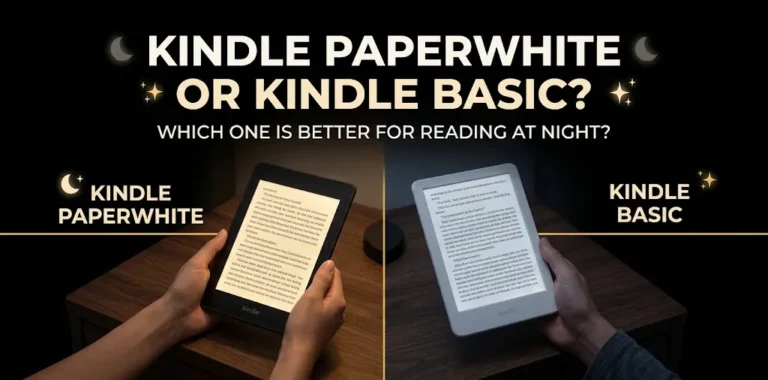
The Kindle Paperwhite is usually the better choice for someone who spends a lot of time reading before bed.
Its adjustable warm light allows you to change the screen’s appearance for darker environments, and dark mode is also available.
The iPad also provides display settings that can make nighttime reading more comfortable, so it is not a poor choice for reading in bed.
The bigger issue is that the iPad remains a multipurpose tablet. If you tend to get distracted easily, the Paperwhite’s limited functionality can actually be a benefit.
Which One Is Better for Different Types of Readers?
The easiest way to choose is to match the device to your reading habits.
| If you mainly… | Better choice |
|---|---|
| Read novels for hours | Kindle Paperwhite |
| Read outdoors | Kindle Paperwhite |
| Want weeks of battery life | Kindle Paperwhite |
| Want a distraction-free reader | Kindle Paperwhite |
| Read in the bath or near water | Kindle Paperwhite |
| Read PDFs for school or work | iPad |
| Read comics and graphic novels | iPad |
| Need color | iPad |
| Take handwritten notes | iPad |
| Browse the web while reading | iPad |
| Watch videos and use apps | iPad |
| Want one device for almost everything | iPad |
Two Real-World Examples
A novel reader should choose Kindle Paperwhite
Suppose you read two or three novels every month and usually read for an hour at night.
You probably do not need a powerful processor, a camera, games, or a large app library. What you need is a comfortable screen, long battery life, low weight, and a device that keeps you focused on the book.
In that situation, the Kindle Paperwhite makes more sense.
A college student may be better off with an iPad
Now imagine a student who reads textbooks, PDFs, online articles, and digital course material.
That student may need to highlight information, switch between documents, take notes, look things up online, and view diagrams or color images.
An iPad is more useful in that situation because reading is only one part of the job.
What Are the Main Downsides of Each?
Neither device is perfect.
The Kindle Paperwhite’s biggest limitation is that it is specialized. Its E Ink screen is excellent for text but not designed to replace a full tablet for video, apps, colorful content, or complex documents.
The iPad has almost the opposite problem. It is extremely versatile, but that versatility can mean more distractions, more frequent charging, a heavier device, and a less specialized reading experience.
The choice is therefore not really “Which device is better?”
It is “Do you want a reader that can do some other things, or a tablet that can also be a reader?”
So, Which Is Better for Reading Books?
For reading books specifically, the Kindle Paperwhite is the better choice for most people.
Choose it if your reading is mostly novels and other text-heavy books, especially if you care about long battery life, outdoor readability, low weight, water resistance, and fewer distractions.
Choose an iPad if reading is only one of the things you want to do. Its larger color display and broad app support make it a better fit for PDFs, comics, textbooks, web content, notes, and multimedia.
If you are buying a device mainly because you want to read more books, I would spend the money on the Kindle Paperwhite rather than paying for an iPad’s features you may not use.
Frequently Asked Questions
Still deciding between an iPad and Kindle Paperwhite for reading? These common questions cover the key differences, including Kindle books on iPad and which device works better for PDFs.
Is Kindle Paperwhite better than iPad for reading books?
Yes, the Kindle Paperwhite is generally better for people who mainly read books. Its glare-free E Ink display, lighter design, long battery life, adjustable warm light, and distraction-free interface are all designed around reading.
Can I read Kindle books on an iPad?
Yes. You can use the Kindle app on an iPad to read books from your Kindle library. An iPad can also support other reading apps, making it more flexible if your books come from different services.
Is an iPad better than Kindle for PDFs?
Generally, yes. An iPad is usually more convenient for complex PDFs, textbooks, scanned documents, color diagrams, annotation, and multitasking. A Kindle Paperwhite is better suited to straightforward, text-heavy reading.
The Bottom Line
If you want a device primarily for reading books, get the Kindle Paperwhite. It is purpose-built for the job and has the biggest advantages where dedicated readers matter most: screen type, battery life, portability, outdoor reading, and fewer distractions.
If you want one device for books plus school, work, entertainment, PDFs, apps, and web browsing, get the iPad.
The simplest rule is: buy the Kindle Paperwhite if reading is the main reason you’re buying a device; buy the iPad if reading is only one of several things you plan to do with it.