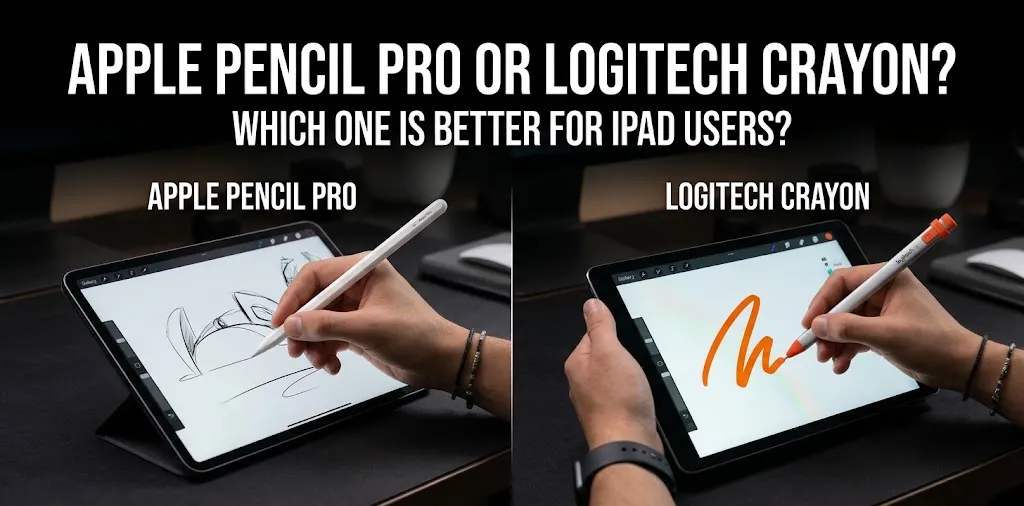
Apple Pencil Pro or Logitech Crayon? Which one is better for iPad users?

If you want the better overall stylus, Apple Pencil Pro is the clear winner because it offers pressure sensitivity, tilt support, squeeze, barrel roll, haptic feedback, hover, magnetic charging, and Find My. But the Logitech Crayon is the better value for basic writing, note-taking, PDF markup, and schoolwork, especially if you have an older compatible iPad.
The important catch is compatibility. Apple Pencil Pro works only with newer iPad models, while the USB-C Logitech Crayon is designed for a much wider range of iPads from 2018 onward.
Apple Pencil Pro vs Logitech Crayon at a glance
| Feature | Apple Pencil Pro | Logitech Crayon USB-C |
|---|---|---|
| Best for | Drawing, creative work, advanced note-taking | Notes, schoolwork, PDFs, everyday use |
| U.S. price | $129 | $69.99 |
| Pressure sensitivity | Yes | No |
| Tilt sensitivity | Yes | Yes |
| Palm rejection | Yes | Yes |
| Squeeze gesture | Yes | No |
| Barrel roll | Yes | No |
| Haptic feedback | Yes | No |
| Hover | Yes, on supported iPads/apps | No |
| Find My | Yes | No |
| Magnetic charging | Yes | No |
| Charging | Magnetic | USB-C |
| Pairing | Bluetooth/magnetic | No pairing required |
| Replaceable tip | Yes | Yes |
| Compatibility | Newer iPad Pro, iPad Air and iPad mini models | Broad iPad compatibility |
Apple currently lists Apple Pencil Pro at $129 in the U.S., while Logitech lists the USB-C Crayon at $69.99.
The biggest difference: pressure sensitivity
This is the feature that matters most if you plan to draw.
Apple Pencil Pro can detect how hard you press, allowing supported apps to change line thickness, opacity, or brush behavior based on pressure. Logitech Crayon does not have pressure sensitivity. Instead, its smart tip uses tilt to change line weight.
For handwriting and highlighting, this difference may not matter much. For digital art, illustration, painting, and other pressure-based work, it can make a major difference.
Apple Pencil Pro is better for drawing and creative work
If you use your iPad as a drawing tablet, Apple Pencil Pro is the better choice.
It supports pressure and tilt sensitivity along with features such as squeeze, barrel roll, haptic feedback, and hover on supported iPads. You can also use the double-tap gesture to switch tools, while Find My can help locate the Pencil if you misplace it.
These features are not equally useful to everyone. If you only write shopping lists or mark up PDFs, paying extra for them may not make sense.
But for someone who spends hours drawing in an app such as Procreate, the extra control is much easier to justify.
Logitech Crayon is better for basic writing and schoolwork
The Logitech Crayon focuses on the parts of a stylus that most people need for everyday iPad use.
It supports palm rejection, tilt sensitivity, precise input, and Apple Pencil technology. Logitech also says it connects without a complex Bluetooth pairing process: turn it on and start writing.
That makes it a practical choice for:
- Taking class notes
- Marking up PDFs
- Signing or annotating documents
- Writing handwritten notes
- Basic diagrams
- Casual sketching
- Everyday iPad use
For these tasks, the Crayon can provide the core stylus experience without the higher price of Apple Pencil Pro.
Compatibility may decide the choice for you
Before comparing features, check your iPad model.
Apple Pencil Pro is compatible with newer iPad Pro models with M4 or M5 chips, M2/M3/M4 iPad Air models, and the iPad mini with A17 Pro.
The Logitech Crayon USB-C has much broader compatibility. Logitech describes it as working with iPads from 2018 onward, although you should still verify your exact model before buying.
This creates an important situation: a Logitech Crayon can be the better choice simply because your iPad does not support Apple Pencil Pro.
If you’re unsure which iPad you have, Apple and Logitech both provide model-compatibility information. The model number can also be checked under Settings > General > About.
Apple Pencil Pro has the better charging and storage system
Apple Pencil Pro attaches magnetically to compatible iPads, where it can pair and charge. This means you do not need to keep a separate charging cable specifically for the Pencil.
The Crayon USB-C charges through its USB-C port instead. It does not magnetically charge or store itself on the side of the iPad.
That sounds like a small difference, but it can matter if you carry your iPad every day.
With Apple Pencil Pro, the stylus can stay attached to the iPad when you’re not using it. With Crayon, you need another place to keep it.
Logitech Crayon has one practical advantage: simple pairing
Apple Pencil Pro uses Bluetooth and pairs with compatible iPads. The Crayon takes a simpler approach.
Logitech says you can slide the Crayon’s power button on and begin writing without going through a Bluetooth pairing process.
That’s especially useful in shared-device environments such as classrooms or family iPads, where different people may use the same stylus.
The trade-off is that Crayon does not provide the advanced Apple Pencil Pro controls and wireless charging system.
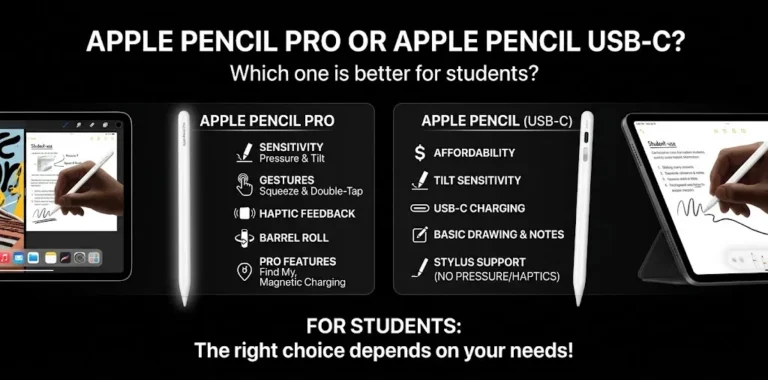
Which one is better for students?
For most students, Logitech Crayon is enough if the main tasks are handwriting, note-taking, PDFs, and diagrams.
You don’t need pressure sensitivity to write lecture notes or highlight a textbook. The Crayon also uses Apple Pencil technology and supports palm rejection and tilt-based line adjustment.
Apple Pencil Pro becomes more attractive if you’re a student in an art, design, architecture, or other program where detailed drawing is part of your regular work.
There’s little reason to pay for advanced features that you rarely use.
Which one is better for artists?
Apple Pencil Pro.
This is the easiest category to decide.
Pressure sensitivity gives the Pencil Pro an important advantage for brushes and other tools where the amount of pressure affects the result. Barrel roll and squeeze can also provide additional control in supported creative apps.
The Crayon can still handle basic sketching and drawing, but its lack of pressure sensitivity limits the type of control you get.
For casual doodling, that’s fine. For serious digital illustration, Pencil Pro is the better investment.
Which one is better for PDF markup and signatures?
For PDF markup, either can work well.
If you mostly highlight text, write comments, circle information, or sign documents, the Logitech Crayon can handle those jobs without needing the advanced features of Pencil Pro.
Apple Pencil Pro is still more convenient if you already own a compatible iPad because magnetic charging and storage reduce the amount of accessory management you need.
So for occasional PDF work, Crayon wins on value. For frequent daily use, Pencil Pro’s extra convenience may be worth paying for.
Which one gives you better value?
At current U.S. list prices, Logitech Crayon is about $59 less than Apple Pencil Pro. Logitech lists the USB-C Crayon at $69.99, while Apple’s current listing shows Apple Pencil Pro at $129.
That is a meaningful price difference.
| If your priority is… | Better choice |
|---|---|
| Lowest cost | Logitech Crayon |
| Handwritten notes | Logitech Crayon |
| Schoolwork | Logitech Crayon |
| PDF markup | Logitech Crayon |
| Casual drawing | Logitech Crayon |
| Digital art | Apple Pencil Pro |
| Pressure-sensitive brushes | Apple Pencil Pro |
| Advanced gestures | Apple Pencil Pro |
| Magnetic charging | Apple Pencil Pro |
| Finding a lost stylus | Apple Pencil Pro |
| Long-term creative use | Apple Pencil Pro |
The best value isn’t necessarily the cheaper product. It’s the one whose features match what you actually do.
Two simple buying scenarios
Imagine a college student who uses an iPad to write lecture notes, highlight PDFs, and occasionally draw diagrams. They don’t use pressure-sensitive brushes. Logitech Crayon makes more sense because it covers those needs for considerably less money.
Now consider someone who uses an iPad Air for digital illustration several times a week. They want pressure-sensitive brushes, tool shortcuts, and a stylus that stays attached to the iPad. Apple Pencil Pro is the better choice because its additional features directly affect their workflow.
The difference is not about which stylus is universally good. It’s about whether you will actually use the features you’re paying for.
What you should check before buying
The first thing to check is your exact iPad model. Don’t choose a stylus based only on the iPad’s screen size or appearance.
Then think about how you will actually use the stylus:
- Mostly notes and PDFs? Crayon is likely enough.
- Mostly drawing and illustration? Choose Apple Pencil Pro if your iPad supports it.
- Want magnetic charging? Choose Apple Pencil Pro.
- Want the lowest upfront cost? Choose Crayon.
- Have an older iPad? Check compatibility before considering Pencil Pro.
This compatibility step is particularly important because Apple Pencil Pro is not a universal replacement for older Apple Pencil models. Apple’s current compatibility list is limited to specific newer iPads.
Frequently asked questions
Still deciding between Apple Pencil Pro and Logitech Crayon? These answers cover a few common questions about compatibility, drawing, and whether the extra cost of Apple Pencil Pro is worth it.
Is Logitech Crayon as good as Apple Pencil Pro for writing?
For basic handwriting, Logitech Crayon can be very good. It provides precise input, palm rejection, and tilt sensitivity, but it lacks pressure sensitivity and the advanced controls found on Apple Pencil Pro.
Does Logitech Crayon work with Procreate?
Yes, Logitech Crayon works with Procreate on compatible iPads, but its lack of pressure sensitivity means you won’t get the same pressure-based brush control available with Apple Pencil Pro.
Is Apple Pencil Pro worth the extra money?
It is worth the extra cost if you will use pressure sensitivity, advanced gestures, magnetic charging, Find My, or other Pro features regularly. If you mainly take notes or annotate PDFs, Logitech Crayon can provide the core functionality for much less.
The bottom line
Apple Pencil Pro is the better stylus overall, but Logitech Crayon is the better value for many everyday iPad users.
Choose Apple Pencil Pro if drawing, creative work, pressure sensitivity, advanced controls, and magnetic charging matter to you. Choose Logitech Crayon if you mainly need a reliable stylus for notes, schoolwork, PDFs, and casual drawing and want to spend less.
Before ordering either one, check your exact iPad model first. Compatibility can matter more than the feature list.