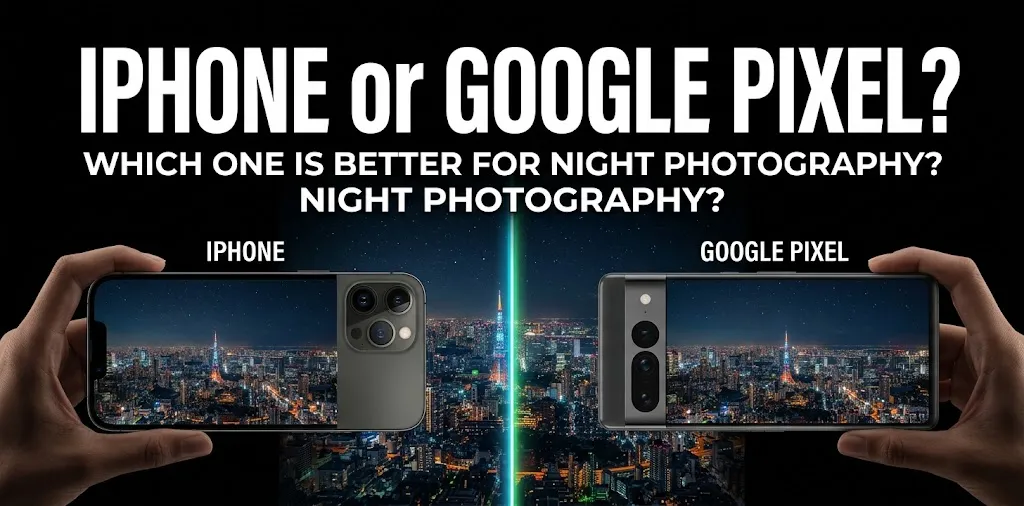
iPhone or Google Pixel? Which one is better for night photography?

If night photography is your main priority, Google Pixel is the better choice for most people, especially if you want bright, detailed photos in very low light with minimal effort. Pixel’s Night Sight and newer Instant Night Sight features are designed specifically for dark scenes, while the iPhone delivers more natural-looking results and strong detail, especially when you want greater control over the final image.
The answer is not quite as simple as “Pixel is better.” The iPhone and Pixel take different approaches to night photography, and the better choice depends on what you photograph.
For the current 2026 lineup, the comparison is mainly between phones such as the Google Pixel 11 Pro and iPhone 17 Pro. Apple’s iPhone 18 Pro has been announced but does not go on sale until September 18, 2026, so it is not yet the practical choice for someone buying today.
Pixel vs. iPhone for Night Photography
The Pixel has the edge when your biggest concern is getting a usable, bright night photo without much effort. Google’s Night Sight combines multiple exposures and computational processing to bring out details in dark scenes. On the Pixel 11 Pro, Instant Night Sight is designed to reduce the time needed to capture a low-light photo.
The iPhone takes a more balanced approach. Night mode automatically activates in low light on supported models, adjusts the exposure, and can be manually adjusted when you want more control. The iPhone 17 Pro also uses sensor-shift stabilization, Photonic Engine, Deep Fusion, and Smart HDR 5 as part of its camera processing system.
| Night photography factor | Google Pixel | iPhone |
|---|---|---|
| Very dark scenes | Excellent | Excellent |
| Automatic night shots | Excellent | Excellent |
| Natural-looking colors | Very good | Excellent |
| Night sky photography | Excellent | Very good |
| Moving subjects at night | Very good | Very good |
| Manual control | Very good | Excellent |
| Night portraits | Excellent | Excellent |
| Zoom in low light | Excellent on Pro models | Excellent on Pro models |
| Ease of getting a bright shot | Excellent | Excellent |
The table is a general comparison rather than a guarantee that every Pixel or iPhone will produce the same result. Camera hardware and software vary between models.
Why Pixel Is So Good at Night Photography
Google has made low-light photography one of the major strengths of the Pixel camera system.
Night Sight is available for low-light photos, portraits, panoramas, and night-sky photography. Google also provides a dedicated astrophotography mode on supported Pixel phones.
The Pixel 11 Pro takes this further with Instant Night Sight. Google says its upgraded telephoto sensor provides 30% better light sensitivity, helping low-light photography without requiring the same amount of waiting during capture.
This matters when you are taking casual photos at night. You may not want to set a tripod, adjust exposure, or wait several seconds before checking the result.
Pixel is especially strong for very dark scenes
Imagine walking through a city street after sunset. There may be streetlights, dark buildings, signs, cars, and people moving through the frame.
A Pixel is designed to recover information from these darker areas while keeping the overall photo bright enough to see. Google’s computational photography does much of the work automatically.
That makes Pixel particularly appealing if you want to point, shoot, and move on.
Pixel has a major advantage for astrophotography
If by “night photography” you mean stars, the Milky Way, or a dark night sky, Pixel is the easier choice.
Supported Pixel phones can enter Astrophotography mode through Night Sight when the phone is kept steady. Google recommends placing the phone on a stand or tripod and shooting away from city lights.
The Pixel 11 Pro also continues Google’s focus on night-sky photography and uses its computational photography system to combine long-exposure frames into a finished image.
The iPhone can capture impressive night-sky images, but Pixel’s dedicated astrophotography workflow gives Google a clear advantage for someone who specifically wants to photograph stars.
Where the iPhone Can Be Better at Night
Pixel’s advantage does not mean the iPhone produces worse night photos.
In some situations, the iPhone can produce a more natural-looking image, particularly when you want realistic exposure and color rather than making a very dark scene look significantly brighter.
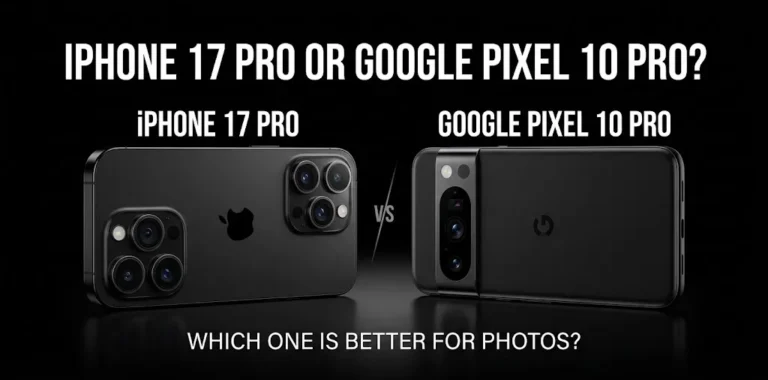
A comparison of the iPhone 17 Pro and Pixel 10 Pro found that the iPhone maintained strong white balance and overall scene retention in low-light testing, while the Pixel produced stronger center-frame detail in some shots.
That difference is worth understanding.
A brighter photo is not automatically a better photo.
Sometimes you actually want a dark street to remain dark. You may want the warm glow of a restaurant, the shadows around a building, or the natural atmosphere of an evening scene to remain visible rather than having every dark area aggressively brightened.
iPhone vs. Pixel for Night Portraits
For people photography at night, both phones can produce excellent results.
The main challenge is that people move. A camera can brighten a stationary building by taking multiple exposures, but a moving person can become blurry when the exposure takes longer.
This is where image processing, stabilization, autofocus, and exposure decisions all matter.
The Pixel is very good at extracting detail from dark surroundings while keeping faces visible. The iPhone also has strong low-light portrait capabilities, and the iPhone 17 Pro supports Night mode with Portrait mode on supported configurations.
For a simple birthday photo at a dim restaurant, either phone can work well.
If the room is extremely dark and you want the phone to brighten the scene automatically, Pixel gets the advantage.
If you want the photo to retain a more natural nighttime atmosphere, iPhone can be the better fit.
Which Takes Better Night Photos in the City?
For city streets, buildings, signs, traffic, and other scenes with mixed lighting, the choice becomes closer.
Cities create difficult lighting conditions because one frame may contain bright streetlights, dark buildings, illuminated signs, headlights, and shadows.
The Pixel’s computational photography is excellent at dealing with these differences. Its Night Sight system is designed to recover detail from low-light scenes without requiring a complicated shooting process.
The iPhone is also very capable and can have an advantage when you want more natural exposure and color.
For example, if you photograph a brightly lit building against a dark sky, you may prefer the iPhone’s more restrained rendering. If you photograph a poorly lit street where you want to see more detail, Pixel’s brighter processing may be more useful.
Which Is Better for Night Zoom Photography?
Zoom becomes more important when you photograph distant subjects at night.
The current Pro models from both companies offer dedicated telephoto cameras. The iPhone 17 Pro has a 48MP telephoto camera with a 4x optical focal length and optical-quality options up to 8x.
The Pixel 11 Pro also has an upgraded telephoto system, and Google specifically highlights improved light sensitivity for its telephoto camera.
For night photography, this is important because telephoto cameras generally receive less light than the main camera. A strong telephoto sensor and good computational processing can therefore make a noticeable difference.
If you regularly photograph distant subjects after dark, a Pro-level Pixel or iPhone is a better choice than relying on a basic model with digital zoom.
Which Is Better for Night Photography With Moving Subjects?
This is one area where you should not simply choose the phone that produces the brightest image.
A person walking, a moving car, a child running, or someone dancing at a nighttime event can make long-exposure night photography difficult.
The camera has to balance two competing goals:
- Collect enough light.
- Keep the moving subject sharp.
If the phone takes too long to gather light, movement can create blur. If it uses a very short exposure, the image may become darker or noisier.
For casual moving subjects, both current flagship phones are strong. The iPhone’s stabilization and processing give it excellent consistency, while Pixel’s computational photography can recover impressive detail in challenging lighting.
If you photograph people at night frequently, look at motion handling and focus, not just how bright the sample photos appear.
What About Night Video?
If you care about both night photos and night video, the decision becomes slightly different.
Google offers Night Sight Video on supported Pixel Pro phones, including the Pixel 11 Pro. Google says the feature is designed to improve low-light video, while Video Boost can provide additional processing and stabilization.
The iPhone 17 Pro is also a strong video phone, with 4K Dolby Vision recording, stabilization, ProRes options, and Night mode time-lapse.
So if your priority is night photos and astrophotography, Pixel has a particularly strong case.
If you want a phone that is equally focused on high-quality photography and advanced video creation, the iPhone remains a very strong option.
Which Phone Should You Buy for Night Photography?
The easiest way to decide is to think about the kind of night photos you take most often.
Choose Google Pixel if you want:
- Very bright photos in dark conditions
- Easy point-and-shoot night photography
- Strong astrophotography
- Excellent computational photography
- Good low-light zoom on Pro models
- Less need to adjust camera settings
- Strong results when you do not have time to set up a shot
Google’s Night Sight is specifically designed to make low-light photography easier, and the Pixel 11 Pro adds Instant Night Sight to speed up the experience.
Choose iPhone if you want:
- Natural-looking night photos
- Strong color and exposure consistency
- More control over the final image
- Excellent photo and video performance together
- ProRAW for editing
- A strong camera system that handles many types of photography well
The iPhone 17 Pro supports Night mode, ProRAW, multiple 48MP cameras, optical stabilization, and several advanced computational photography systems.
Pixel or iPhone: Which Is Better for Different Night Scenes?
There is no single winner for every type of night photography.
| What you photograph | Better choice |
|---|---|
| Very dark streets | Pixel |
| Stars and Milky Way | Pixel |
| Night portraits | Pixel, slight edge |
| City photography | Pixel, slight edge |
| Natural-looking night scenes | iPhone |
| Night photos you plan to edit | iPhone |
| Night video | iPhone for overall versatility |
| Low-light telephoto | Pixel Pro |
| Quick point-and-shoot photos | Pixel |
| Photography plus advanced video | iPhone |
These are practical recommendations rather than universal test scores. The exact result can change depending on the specific iPhone and Pixel model, lighting, subject movement, and camera mode.
How to Get Better Night Photos With Either Phone
Even the best phone camera can struggle if you make the shot difficult.
Keep the phone as steady as possible when taking a dark scene. Apple’s own guidance recommends holding the iPhone still during Night mode and using a tripod for even more detail.
For Pixel, Google similarly recommends keeping the phone steady for Night Sight, and astrophotography requires the phone to be placed on a stable surface or tripod.
A few simple habits can make a bigger difference than switching between two excellent phones:
- Clean the camera lens before shooting.
- Avoid unnecessary digital zoom in very dark scenes.
- Keep the phone steady during the exposure.
- Use the main camera when the scene is extremely dark.
- Give the phone’s Night mode time to work.
- Look for available light rather than shooting in complete darkness.
- Take several photos if the subject is moving.
For example, if you are photographing a friend outside a restaurant at night, positioning them near a soft light source can produce a better result than simply relying on Night mode to brighten an almost completely dark scene.
Frequently Asked Questions
For shoppers comparing the two camera systems, a few questions usually come up before making a decision. Here are the most important things to know about iPhone and Pixel for low-light photography.
Is Pixel better than iPhone for night photography?
For most low-light situations, Pixel has the edge because Google’s Night Sight system is designed to brighten dark scenes while retaining useful detail. The iPhone can produce more natural-looking results, so the better choice depends on whether you prefer maximum brightness or a more restrained look.
Which is better for taking pictures of stars, iPhone or Pixel?
Pixel is generally the better choice for astrophotography because supported Pixel phones have a dedicated Astrophotography mode within Night Sight. The phone can capture multiple long-exposure frames and combine them into a finished night-sky image when kept steady.
Should I buy an iPhone or Pixel if night photos are my main priority?
Choose Pixel if night photography is your main reason for buying the phone, especially if you want easy low-light and astrophotography results. Choose iPhone if night photography is important but you also want a highly capable all-around photo and video system with strong editing options.
The Bottom Line
Google Pixel is the better choice for most people who specifically care about night photography. Its Night Sight system, astrophotography capabilities, and newer Instant Night Sight features make it especially strong in very dark environments.
The iPhone is the better choice if you prefer a more natural look and want strong photography, editing, and video capabilities in the same package. The iPhone 17 Pro also offers a powerful multi-camera system with Night mode, ProRAW, stabilization, and advanced image processing.
If you mainly photograph stars, dark streets, nighttime trips, or poorly lit scenes, choose Pixel. If you want natural night photos plus a highly capable all-around camera and video system, choose iPhone.