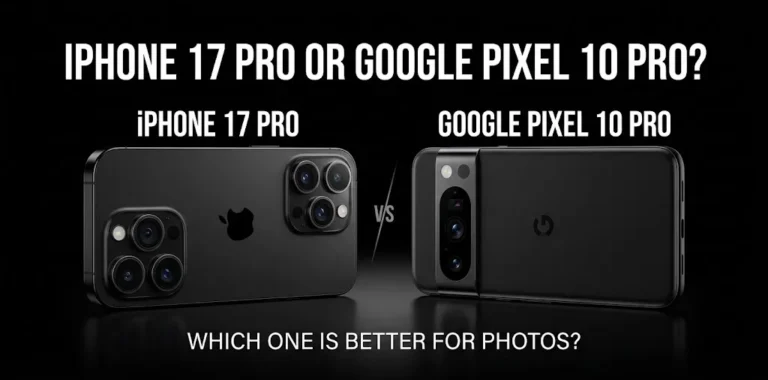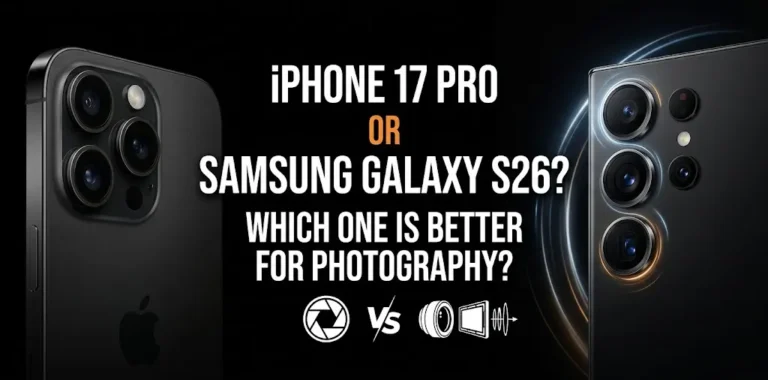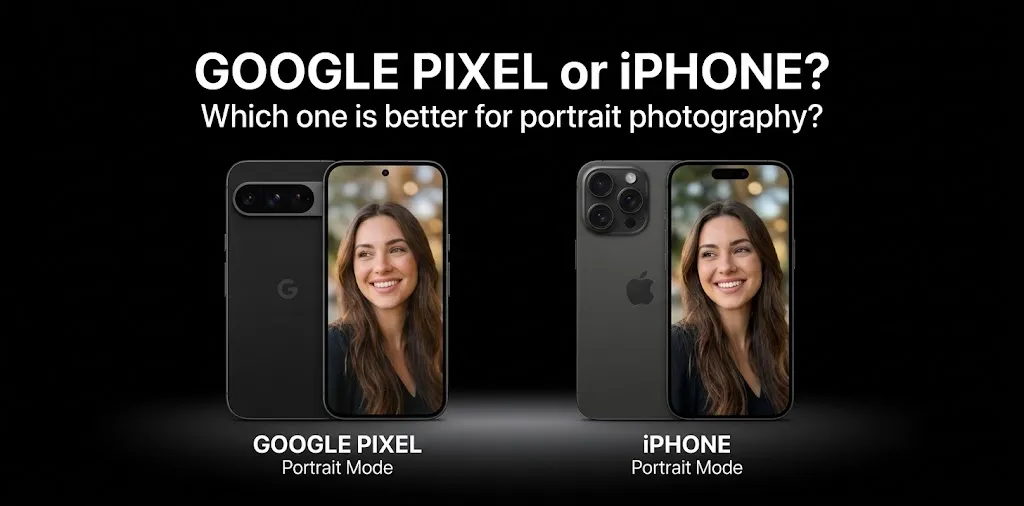
Google Pixel or iPhone? Which one is better for portrait photography?

If portrait photography is your main priority, Google Pixel is the better choice for most people who want strong portraits with minimal effort. Pixel phones combine Portrait Mode, realistic skin tones, computational photography, and useful portrait-editing tools. However, an iPhone Pro can be the better choice if you want more control over depth of field, low-light portraits, and a more traditional photography workflow. The exact winner also depends on which Pixel and iPhone models you compare.
Pixel vs. iPhone for portraits at a glance
| Portrait feature | Google Pixel | iPhone |
|---|---|---|
| Easy point-and-shoot portraits | Excellent | Excellent |
| Skin-tone rendering | Excellent | Excellent |
| Background blur | Excellent | Excellent |
| Subject separation | Excellent | Excellent |
| Portrait editing | Excellent | Excellent |
| Telephoto portraits | Strong on Pixel models with telephoto | Strong on Pro models |
| Low-light portraits | Excellent | Excellent |
| Manual control | More limited on standard models | Stronger on Pro models |
| Natural-looking portraits | Excellent | Excellent |
| Best for beginners | Pixel | iPhone |
| Best for creative control | Pixel Pro / iPhone Pro | iPhone Pro |
The gap is not as simple as “Pixel has better cameras” or “iPhone has better cameras.” For portraits, the lens you use, distance from your subject, lighting, skin tones, autofocus, and background separation can matter more than megapixel count.
Why Google Pixel is so good for portrait photography
Google has made computational photography one of the main strengths of Pixel phones. Instead of relying only on camera hardware, Pixel combines the captured image with software processing to improve exposure, color, detail, skin tones, and background separation.
The current Pixel 11, for example, includes Portrait Mode, Real Tone, Portrait Blur, Portrait Light, Face Unblur, and other computational photography tools. Google also gives the Pixel 11 a dedicated 5x telephoto camera, which can be useful when you want a tighter portrait without standing extremely close to your subject.
Pixel portraits look natural without much work
A major advantage of Pixel photography is that you can often take a portrait, review it, and get a usable result without adjusting many settings.
That’s useful for situations such as:
- Taking a quick portrait of a friend
- Photographing children who keep moving
- Taking outdoor family photos
- Capturing casual social-media portraits
- Shooting someone in mixed lighting
Pixel’s Real Tone processing is also designed to handle different skin tones naturally rather than treating every face the same way.
Pixel’s telephoto camera can help with portraits
A telephoto lens can be particularly useful for portrait photography.
Instead of putting the phone very close to someone’s face, you can step back and use a longer focal length. This can produce a more flattering perspective and make it easier to frame the subject.
The Pixel 11 has a 10.8MP 5x optical telephoto camera with optical image stabilization. Google also lists optical-quality options at 2x, 5x and 10x, along with Super Zoom up to 30x.
That gives the Pixel 11 an important advantage over a phone that relies entirely on cropping from its main camera.
Where iPhone can be better for portraits
iPhone photography has a different strength: consistency, control, and a mature portrait-processing system.
Apple’s current iPhone 18 Pro takes this further with a 48MP Fusion Main camera that uses a variable aperture. Apple says the camera can use a wider aperture for portraits and a narrower aperture when you want more of a group to remain in focus.
That matters because portrait photography is not always about creating the strongest possible background blur.
Sometimes you want the person sharp while the background is soft. Other times, especially with groups, you need more of the scene in focus.
iPhone gives photographers more creative control
The iPhone 18 Pro also adds Pro controls for settings such as aperture, shutter speed, and white balance, along with a histogram.
For someone who simply wants to point, shoot, and share, these controls may not matter much.
But if you’re learning photography and want more control over the final image, they can make the iPhone Pro more appealing.
Pixel vs. iPhone: which takes better-looking portraits?
There isn’t one answer that applies to every photo.
For a typical outdoor portrait in good lighting, both can produce excellent results. The differences often become more noticeable when you look at skin tones, background separation, hair edges, difficult lighting, and telephoto framing.
Pixel generally makes a strong case when you want a natural-looking portrait with little effort. iPhone is particularly attractive if you want a polished result combined with more control over how the image is captured.
The current Pixel 11 and iPhone 18 Pro also represent different approaches. Pixel 11 emphasizes computational photography and a dedicated 5x telephoto camera, while iPhone 18 Pro combines computational photography with a variable-aperture main camera and expanded manual controls.
Which is better for outdoor portraits?
Google Pixel is an excellent choice for outdoor portraits, especially if you want strong HDR processing and an easy shooting experience.
Bright sunlight can create a difficult combination of shadows and highlights on a person’s face. Computational photography helps balance those areas so the face does not become too dark while the background becomes completely blown out.
The iPhone can also handle challenging outdoor scenes very well. Its advantage becomes more interesting when you want to deliberately control the depth of field or change the look of the photograph rather than simply relying on automatic processing.
A simple outdoor example
Imagine you’re taking a portrait of a friend in a park during the afternoon.
With the Pixel, you can use Portrait Mode and let the phone handle much of the processing. If your subject is farther away, the telephoto camera can also help you frame the person without moving extremely close.
With an iPhone 18 Pro, you have the option of using the camera’s variable aperture and Pro controls when you want to influence depth of field and exposure more deliberately.
For casual photography, Pixel is easier. For someone who enjoys controlling the shot, iPhone Pro has more room to experiment.
Which is better for portraits in low light?
Both Pixel and iPhone are strong in low light, but the iPhone Pro has a notable advantage if you want more control over the way the camera handles the scene.
Low-light portraits are difficult because the phone has to balance brightness, noise, motion, skin detail, and background exposure.
Apple says the iPhone 18 Pro’s variable aperture can open up in darker conditions to let in more light, while its portrait mode is optimized around a wide aperture for portrait shooting.
Pixel’s Night Sight and computational photography also make it a strong option for difficult lighting. The Pixel 11 includes Night Sight alongside Portrait Mode, Real Tone, Face Unblur, and other processing features.
For someone taking casual evening portraits, either phone can be a very good choice.
Which is better for portraits of children?
Pixel may have the edge for parents and casual photographers who want to capture unpredictable moments quickly.
Children rarely stay still for a carefully composed portrait. Autofocus, shutter speed, exposure, and computational processing all become important.
Pixel includes features such as Face Unblur and Auto Unblur, which are designed to help deal with some forms of subject or camera movement.
The iPhone is also excellent for moving subjects, particularly when you use its stronger camera and processing system correctly. The best choice here may come down less to the brand and more to which phone feels faster and easier for you to operate.
Which is better for professional-looking portraits?
If by “professional-looking” you mean strong background separation, flattering perspective, accurate skin tones, and good detail, both platforms can produce impressive results.
The biggest mistake is assuming that Portrait Mode alone creates a professional portrait.
Your shooting distance and lens choice matter a lot.
A dedicated telephoto lens can let you stand farther from the subject while producing a tighter composition. This can be more flattering than placing a wide camera very close to someone’s face.
That’s one reason the Pixel 11’s 5x telephoto is useful.
For users who want more control over aperture and exposure, the iPhone 18 Pro becomes particularly interesting because its variable-aperture camera and Pro controls allow more deliberate shooting.
Pixel or iPhone: which should you buy for portraits?
The better choice depends on how you take pictures.
| If you care most about… | Better choice |
|---|---|
| Easy portrait photography | Google Pixel |
| Natural skin tones with little editing | Google Pixel |
| Built-in portrait editing tools | Google Pixel |
| Long-distance portrait framing | Pixel with telephoto |
| Manual photography controls | iPhone Pro |
| Adjustable depth of field | iPhone 18 Pro |
| Learning more advanced photography | iPhone Pro |
| Portraits plus strong video | iPhone Pro |
| Simple everyday family portraits | Pixel |
One important point: don’t compare a standard Pixel with an iPhone Pro and assume the brand itself is the reason for the difference. Camera hardware varies considerably between individual models.
For example, the Pixel 11 has a dedicated 5x telephoto camera, while the iPhone 18 Pro adds a variable-aperture main camera and advanced controls.
How to get better portraits with either phone
Regardless of which phone you choose, a few simple changes can make a bigger difference than switching between brands.
Keep the camera around eye level. Shooting from an extreme angle can make facial proportions look unusual.
Avoid putting the phone too close to the face. Step back and use a longer focal length when available.
Use soft light when possible. Open shade or light coming through a large window is usually easier to work with than harsh overhead sunlight.
Don’t overdo background blur. A portrait can look more natural when the subject is separated from the background without making the blur look artificial.
Check the hair and glasses edges. Portrait processing can sometimes struggle with complicated edges, especially where hair overlaps a busy background.
Take several shots. Small changes in expression, focus, and movement can make a bigger difference than tiny differences between camera systems.
Frequently Asked Questions
Still deciding between Google Pixel and iPhone for portrait photography? These common questions cover the key differences in portrait quality, Portrait Mode, and camera controls to help you choose the phone that fits your photography needs.
Is Google Pixel better than iPhone for portrait photography?
Google Pixel is often the better choice for easy, natural-looking portraits with minimal effort, while iPhone Pro models are stronger for photographers who want more control. Both can produce excellent portraits, so the specific models being compared matter.
Does Pixel have better portrait mode than iPhone?
Pixel has a very strong Portrait Mode and useful tools such as Real Tone, Portrait Blur, Portrait Light, and Face Unblur. iPhone also offers advanced portraits with Focus and Depth Control, so neither platform is automatically better in every situation.
Is iPhone or Pixel better for professional portraits?
For simple professional-looking portraits, either can work very well. Pixel is appealing for computational photography and easy results, while an iPhone Pro is a stronger choice if you want greater control over aperture, exposure, and the overall photographic process.
coonclusion
For most people, Google Pixel is the better choice for easy, natural-looking portraits. Its computational photography and portrait tools make it simple to capture good-looking photos without adjusting many settings. An iPhone Pro is a better fit if you want more control over depth of field, exposure, and the overall look of your portraits.
Before buying, compare the exact Pixel and iPhone models you are considering. For portrait photography, the lens selection, shooting style, and camera controls can matter just as much as the phone brand.