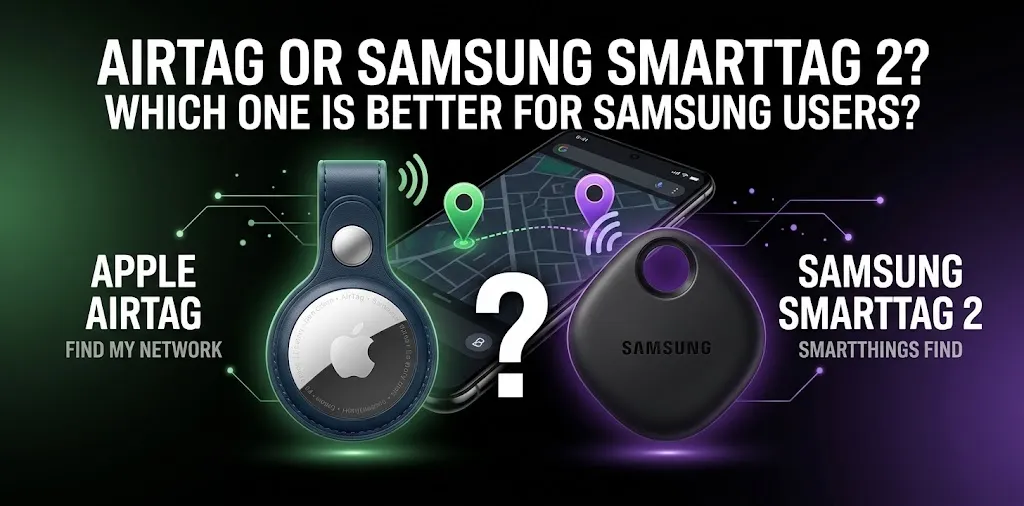
AirTag or Samsung SmartTag 2? Which one is better for Samsung users?

If you use a Samsung Galaxy phone, the Samsung Galaxy SmartTag 2 is the better choice for most situations. It works directly with Samsung’s SmartThings Find system, supports UWB-based finding on compatible Galaxy devices, has a built-in attachment loop, and offers up to 500 days of normal battery life or up to 700 days in Power Saving Mode. Apple’s AirTag is designed around the iPhone and Find My ecosystem, so it is not a practical primary tracker for Samsung users.
The two trackers may look similar, but your phone ecosystem matters more than small differences in hardware. If you carry a Samsung Galaxy phone every day, SmartTag 2 fits naturally into the apps and services you already use.
| Feature | Samsung Galaxy SmartTag 2 | Apple AirTag (2nd generation) |
|---|---|---|
| Best for | Samsung Galaxy users | iPhone users |
| Main tracking system | SmartThings Find / Galaxy Find Network | Apple Find My |
| Samsung phone support | Yes | No full tracking experience |
| iPhone support | No | Yes |
| UWB | Yes, on compatible Galaxy devices | Yes, with compatible Apple devices |
| Battery | Up to 500 days; up to 700 in Power Saving Mode | Replaceable CR2032 |
| Water/dust resistance | IP67 | IP67 |
| Built-in attachment loop | Yes | No |
| Smart-home button | Yes | No |
| U.S. starting price | About $29.99 | $29 |
| Best overall for Samsung users | Yes | No |
Samsung lists SmartTag 2 at $29.99 in the U.S., while Apple introduced the second-generation AirTag at $29 for one or $99 for four.
Why SmartTag 2 makes more sense for Samsung users
The biggest advantage is simple: SmartTag 2 is built for the Galaxy ecosystem.
You pair it with a compatible Galaxy phone and use SmartThings Find to see the tag on a map, search for it nearby, or make it play a sound. Samsung says compatible Galaxy devices can use UWB features for more precise finding.
That makes SmartTag 2 a natural fit for things such as:
- Car keys
- Backpacks
- Luggage
- Wallets
- Bicycle accessories
- Pet collars
- Other belongings you do not want to lose
It also has a physical button that can interact with compatible SmartThings devices, giving it a little more functionality than a basic item tracker.
SmartThings Find is the important part
A tracker is only useful if your phone can properly work with its tracking system.
SmartTag 2 uses Samsung’s Galaxy Find Network when the tag is outside the direct Bluetooth range of your phone. Nearby participating Galaxy devices can help update the location of the lost tag. Samsung notes that the accuracy of this network depends on participating Galaxy users being in range.
So if you leave a SmartTag 2 inside a bag at a busy location, its location can potentially be updated when compatible Galaxy devices come near it.
It is not the same as having GPS built into the tag.
Why AirTag is a poor fit for a Samsung phone
Apple’s AirTag is designed to work with the Apple Find My ecosystem. The second-generation AirTag requires a compatible iPhone or iPad for its normal setup and tracking experience.
A Samsung phone can interact with an AirTag in limited situations, but that does not turn the AirTag into a normal Samsung-compatible tracker.
For example, an Android phone can use NFC to read an AirTag that has been placed in Lost Mode. Android devices can also receive unwanted-tracker alerts for compatible Bluetooth trackers.
But that is very different from being able to manage your own AirTag through Apple’s Find My app.
So if you are thinking about buying an AirTag for your Samsung phone, the main problem is not that the AirTag is a bad tracker. The problem is that its ecosystem is designed for Apple devices.
SmartTag 2 vs. AirTag 2 for everyday finding
Both products are designed to help you find everyday belongings, but they approach the job differently.
Finding an item nearby
SmartTag 2 can use Bluetooth for nearby finding and UWB on compatible Galaxy devices. Samsung lists Bluetooth connectivity of up to 120 meters under unobstructed conditions, although real-world range can be lower because walls, furniture, vehicles, and other obstacles affect Bluetooth signals.
The second-generation AirTag also uses Bluetooth and adds Apple’s second-generation Ultra Wideband chip. Apple says its improved Precision Finding can work from up to 50% farther away than the previous generation when paired with supported Apple hardware.
For a Samsung user, however, the AirTag’s improved Precision Finding does not outweigh its lack of normal Samsung integration.
Finding an item far away
Neither tracker is a traditional GPS tracker.
They primarily use Bluetooth and rely on nearby participating devices to help report the location when the tag is away from your phone.
That means the result can depend on how many compatible devices are around the lost item.
For a Samsung user, SmartTag 2 therefore makes more sense because its tracking network is integrated with Galaxy devices. Samsung specifically says the Galaxy Find Network can be used when SmartTag 2 is outside your phone’s Bluetooth range.
SmartTag 2 has a practical design advantage
One small feature makes a big difference in daily use: SmartTag 2 has a built-in metal attachment loop.
You can attach it to a keyring, clip, bag, or other suitable item without needing a separate holder for the basic attachment.
The SmartTag 2 measures 52.44 × 28.8 × 8.0 mm and weighs 13.75 grams. It also has an IP67 rating for water and dust resistance.
The AirTag is smaller and lighter at 31.9 mm in diameter, 8 mm thick, and 11.8 grams. It is also IP67-rated, but its round design does not have a built-in keyring hole, so attaching it to keys or a bag usually requires an accessory.
For something like a wallet, the AirTag’s smaller round shape may be attractive. For keys or a backpack, SmartTag 2’s built-in loop is more convenient.
Battery life: SmartTag 2 has the edge
SmartTag 2 uses a replaceable CR2032 battery.
Samsung rates it for up to 500 days in Normal Mode and up to 700 days with Power Saving Mode enabled. Power Saving Mode limits the tracker to basic Bluetooth finding functions, so the longer figure comes with some trade-offs.
The second-generation AirTag also uses a replaceable CR2032 coin-cell battery.
For someone who wants to attach a tracker to a bag or keys and mostly forget about it, SmartTag 2’s longer published battery options are a useful advantage.
What if you own both a Samsung phone and an iPhone?
This is where the decision can become less obvious.
If your main phone is Samsung Galaxy, SmartTag 2 is still the more sensible choice for your own belongings.
If your household mainly uses iPhones and you regularly manage the tracker from an iPhone, an AirTag may make more sense for that Apple-based setup.
The key question is not which tracker has the better-looking specification sheet. Ask yourself:
Which phone will I actually use to manage and find my tracker?
For a Samsung Galaxy owner, the answer is usually SmartTag 2.
Two real-world examples
If you lose your keys
Imagine you attach SmartTag 2 to your keys and leave them somewhere inside your house.
You can open SmartThings Find, search nearby, and use the tag’s sound to help locate them. If you have a compatible UWB Galaxy phone, supported precision-finding features can make nearby searching easier.
An AirTag may perform similarly for an iPhone owner, but it is not the natural choice for someone whose everyday phone is Samsung.
If your luggage disappears during a trip
Suppose you put SmartTag 2 inside your suitcase and the suitcase is no longer near your phone.
The tag can use the Galaxy Find Network when it is outside your phone’s direct Bluetooth range, provided participating Galaxy devices come within range of it.
This is one reason choosing the tracker that matches your phone ecosystem matters more than simply comparing Bluetooth range numbers.
Is AirTag ever worth considering for a Samsung user?
Usually, no—at least not if the goal is to use it as your personal everyday tracker.
An AirTag can still be useful if you have regular access to an iPhone or iPad and want to use Apple’s Find My system. But buying one specifically because you own a Samsung Galaxy phone does not make much sense.
If your primary phone is Samsung, SmartTag 2 gives you the more complete experience.
SmartTag 2 limitations Samsung users should know
SmartTag 2 is not perfect.
Its biggest limitation is its dependence on the Samsung Galaxy ecosystem. Samsung says SmartTag 2 requires compatible Galaxy smartphones or tablets for its full experience, while UWB features require a UWB-enabled Galaxy device.
The tracking network also depends on participating Galaxy devices being nearby. In an area with fewer participating devices, a lost tag may not receive location updates as quickly.
And like an AirTag, SmartTag 2 should not be treated as a live GPS tracker. It is better for finding belongings than for continuously watching an object’s location.
Which one should Samsung users buy?
| If you are… | Better choice |
|---|---|
| Using a Samsung Galaxy phone every day | SmartTag 2 |
| Using an iPhone every day | AirTag 2 |
| Wanting SmartThings integration | SmartTag 2 |
| Wanting a built-in attachment loop | SmartTag 2 |
| Wanting longer published battery options | SmartTag 2 |
| Already invested in Apple Find My | AirTag 2 |
| Using a Samsung phone but considering AirTag | SmartTag 2 |
| Looking for a traditional GPS tracker | Neither |
For most Samsung users, SmartTag 2 wins because it fits the phone they already own.
Frequently Asked Questions
Still deciding between AirTag and Samsung SmartTag 2? These common questions cover the compatibility, features, and everyday differences that matter most to Samsung Galaxy users.
Can Samsung phones use Apple AirTag?
Samsung phones can detect some AirTag-related unwanted tracking and can read an AirTag through NFC in certain situations, but they do not provide the normal Find My experience used to manage an AirTag. For a Samsung user who wants their own everyday tracker, SmartTag 2 is the more practical option.
Does Samsung SmartTag 2 work without a Samsung phone?
SmartTag 2 is designed for Samsung Galaxy smartphones and tablets, with Samsung requiring compatible Galaxy devices for its full feature set. UWB-based features also require a compatible UWB-enabled Galaxy device.
Is SmartTag 2 better than AirTag for Samsung users?
Yes, in most cases. SmartTag 2 connects directly with Samsung’s SmartThings Find ecosystem, while AirTag is built around Apple’s Find My system, so SmartTag 2 gives Samsung Galaxy users the more complete and convenient experience.
The bottom line
For a Samsung Galaxy user, buy the Samsung Galaxy SmartTag 2 rather than an AirTag. The biggest reason is not simply battery life, size, or Bluetooth range—it is ecosystem compatibility.
SmartTag 2 gives you SmartThings Find, Galaxy-based network finding, UWB features on supported Galaxy phones, a built-in attachment loop, and up to 500 days of normal battery life.
If you already use an iPhone, AirTag 2 is the better fit. But if Samsung is the phone you carry every day, SmartTag 2 is the straightforward choice.