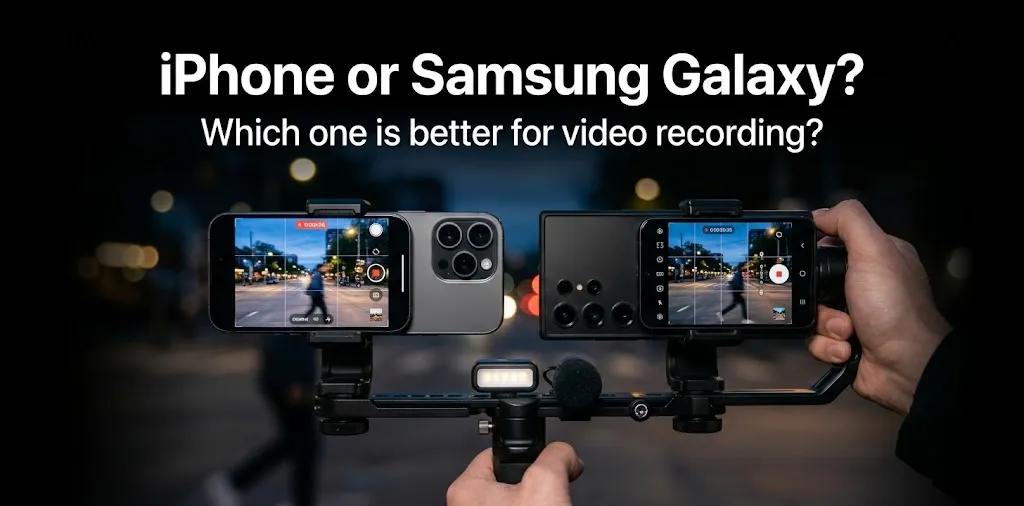
iPhone or Samsung Galaxy? Which one is better for video recording?

If video recording is your main priority, iPhone is the better overall choice for most people, especially if you want consistent colors, reliable stabilization, strong autofocus, and easy-to-use video tools. Samsung Galaxy phones offer more flexibility in areas such as 8K recording, long-range zoom, and manual controls, making them a strong choice for creators who want more control over how they shoot.
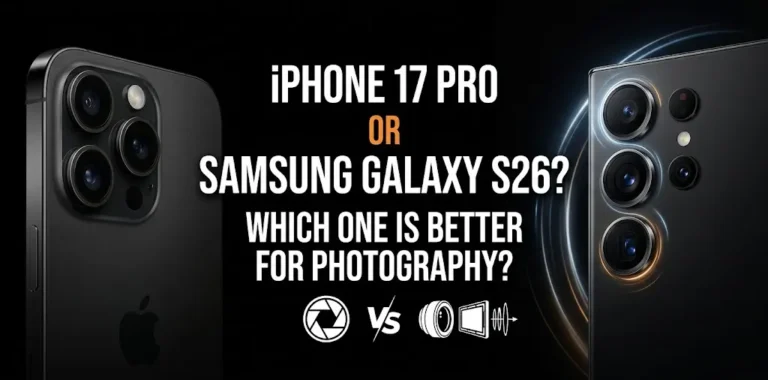
The answer can change depending on the specific models you compare. In 2026, for example, the iPhone 17 Pro and Samsung Galaxy S26 Ultra represent two of the strongest options for smartphone video, but they take different approaches to recording.
iPhone vs Samsung Galaxy for Video: At a Glance
| Video feature | iPhone | Samsung Galaxy |
|---|---|---|
| Overall video quality | Excellent | Excellent |
| Color consistency | Usually better | Very good |
| Video stabilization | Excellent | Excellent |
| Autofocus | Excellent | Excellent |
| 4K recording | Excellent | Excellent |
| 8K recording | Not available on current iPhone 17 Pro | Available on Galaxy S26 Ultra |
| Long-range zoom | Very good | Excellent |
| Manual video controls | Excellent on Pro models | Excellent on Ultra models |
| Pro video formats | ProRes, ProRes RAW, Apple Log 2 on Pro models | Pro Video, Samsung Log and advanced codecs on supported models |
| Social media video | Excellent | Very good |
| Beginner-friendly recording | Excellent | Very good |
| Professional video workflow | Excellent | Excellent |
The table shows why there is no single winner in every category. iPhone generally has the edge for straightforward, consistent video recording, while Samsung gives creators more flexibility and recording options.
Why iPhone Is Better for Most Video Recording
Apple has spent years focusing heavily on video processing, stabilization, color, audio, and consistency. That matters because good smartphone video is not only about resolution or megapixels.
The current iPhone 17 Pro models can record 4K Dolby Vision at multiple frame rates, including up to 120 fps with the main Fusion camera. They also support ProRes, ProRes RAW, Apple Log 2, and external recording on compatible setups.
More consistent colors
One of the biggest advantages of an iPhone is consistency.
If you move from a bright outdoor scene into a room, or switch between different cameras while recording, the phone generally aims to keep the footage looking natural and consistent.
That is useful for:
- YouTube videos
- TikTok and Instagram videos
- Family videos
- Travel footage
- Vlogging
- Interviews
- Short-form content
You do not need to spend a lot of time adjusting settings before pressing the record button.
Strong stabilization
Stabilization is especially important when you are walking while recording.
The iPhone 17 Pro includes second-generation sensor-shift optical stabilization for its main camera, while its telephoto camera also has sensor-shift stabilization and autofocus designed for video.
That makes the iPhone a strong choice for handheld recording.
Excellent autofocus
A camera can have impressive specifications and still produce frustrating video if the focus keeps hunting.
iPhones are generally strong at keeping subjects in focus while they move. This is particularly useful when filming people, pets, sports, or yourself while walking.
Strong video tools for creators
The iPhone 17 Pro goes well beyond basic 4K recording. It supports ProRes, ProRes RAW, Apple Log 2, and external recording. With compatible external storage, the phone can record ProRes at up to 4K 120 fps.
That gives professional users more room for editing and color grading.
Where Samsung Galaxy Has the Advantage
Samsung is not simply an alternative to iPhone. For some types of video recording, a Galaxy phone can actually be the more useful tool.
The Galaxy S26 Ultra, for example, supports 8K recording at 30 fps and 4K recording at 120 fps in Pro Video mode. It also has a 3x telephoto and 5x telephoto camera, giving it more native zoom options than many smartphones.
8K video recording
If recording at very high resolution matters to you, Samsung has a clear advantage.
The Galaxy S26 Ultra supports 8K video at 30 fps. Samsung also supports 8K recording across several recent Galaxy models.
However, 8K does not automatically mean better-looking video.
For many people, a well-recorded 4K video with good stabilization, exposure, color, and focus will be more useful than an 8K clip.
Better zoom flexibility
This is one area where Samsung can be especially attractive.
The Galaxy S26 Ultra has dedicated 3x and 5x telephoto cameras, along with additional optical-quality zoom options.
That can be useful when you are recording:
- Concerts
- Sports
- Wildlife
- Events
- Performances
- Subjects that are far away
If you regularly record distant subjects, Samsung’s camera system gives you more flexibility.
More control for advanced users
Samsung also gives serious creators a lot of control.
The Galaxy S26 Ultra supports advanced video recording features, including Pro Video and Samsung Log-related workflows. Samsung’s developer documentation also lists its APV codec with HDR and Log recording options on the S26 Ultra.
This makes Galaxy attractive if you enjoy manually adjusting your footage rather than relying mainly on automatic processing.
iPhone vs Samsung for Stabilization
For handheld video, iPhone gets the overall edge.
Both brands offer excellent stabilization on their flagship phones, so the difference is not enormous. But iPhone has a long-standing reputation for producing smooth, consistent handheld footage, and current iPhone Pro models continue to include advanced stabilization systems.
For example, imagine you are walking through a busy New York street while recording yourself.
With either phone, stabilization can make the footage much smoother than simply holding an unstabilized camera. But if your priority is to press record and get predictable results without changing many settings, iPhone is the safer choice.
iPhone vs Samsung for Low-Light Video
Both can produce good low-light video, but this is an area where the exact model matters more than the brand name.
A flagship Galaxy and an iPhone Pro can both perform well indoors or at night, but the final look can differ in brightness, noise, contrast, and color.
For most casual users, iPhone is the easier choice if you want consistent results without manually adjusting the camera.
Samsung can be attractive if you want more control over exposure and other recording settings.
The biggest mistake is assuming that a higher megapixel number automatically means better night video. Video quality depends on the sensor, lens, stabilization, processing, exposure, and recording format—not just megapixels.
iPhone vs Samsung for Zoom Video
Samsung Galaxy has the advantage for zoom-heavy video recording.
The Galaxy S26 Ultra has dedicated 3x and 5x telephoto cameras and supports up to 100x digital zoom for still imaging, giving it a very flexible camera system.
The iPhone 17 Pro also offers strong telephoto capabilities and up to 15x digital zoom for video, but Samsung’s camera setup is particularly appealing when distant subjects are a major part of your shooting.
For everyday video, however, you may rarely need extreme zoom.
iPhone vs Samsung for Vlogging
If you want to record yourself for YouTube, TikTok, Instagram, or travel videos, iPhone is usually the easier pick.
The iPhone 17 Pro has an 18MP Center Stage front camera with autofocus, ultra-stabilized video, Dual Capture, and 4K Dolby Vision recording.
That combination is useful for creators who frequently switch between filming themselves and filming their surroundings.
Samsung is still a strong option, especially if you prefer Android or want more camera controls.
A practical example
Suppose you are traveling around Chicago and want to record a short walking vlog.
With an iPhone, you can start recording yourself, walk around, switch between cameras, and focus on creating your video rather than spending time adjusting settings.
If you are more interested in filming distant buildings, performances, or detailed shots from far away, a Galaxy Ultra may give you more creative flexibility.
iPhone vs Samsung for Professional Video
For professional work, the decision becomes more complicated.
The iPhone 17 Pro has a particularly strong professional workflow because it supports ProRes, ProRes RAW, Apple Log 2, ACES, Genlock, and external recording.
Samsung’s Galaxy S26 Ultra also targets creators who want advanced recording options, including 8K, Pro Video, and Log-based workflows.
So professional users should choose based on their editing workflow rather than simply asking which phone has the higher resolution.
If your workflow already uses Apple’s video tools and ProRes, an iPhone Pro can make more sense.
If you prefer Android and want features such as 8K capture and Samsung’s zoom flexibility, Galaxy can be the better fit.
Which Is Better for Social Media Video?
For most social media creators, iPhone has the advantage.
The reason is not simply image quality. Consistency matters when your videos move from the phone to editing apps and social platforms.
iPhone also makes it easy to capture high-quality 4K footage without requiring extensive camera knowledge.
Samsung is still very capable, especially for creators who want to experiment with zoom, manual controls, and different recording modes.
If your main goal is simply to create good-looking TikTok, Instagram, or YouTube videos quickly, iPhone is the easier recommendation.
Which One Should You Buy for Video Recording?
| Your priority | Better choice |
|---|---|
| Best overall video experience | iPhone |
| Easy point-and-shoot recording | iPhone |
| Consistent colors | iPhone |
| Stabilization | iPhone |
| Professional video workflow | iPhone Pro |
| ProRes and Apple Log workflow | iPhone Pro |
| 8K recording | Samsung Galaxy |
| Long-range zoom | Samsung Galaxy Ultra |
| Manual camera control | Samsung Galaxy Ultra |
| Android ecosystem | Samsung Galaxy |
| Travel and everyday video | iPhone |
| Recording distant subjects | Samsung Galaxy Ultra |
iPhone or Samsung Galaxy: Which Is Better for Video Recording?
Choose iPhone if video quality, stabilization, autofocus, consistent colors, and easy recording are your main priorities. The iPhone Pro models are also excellent for serious creators who need ProRes, Log recording, and professional editing options. Samsung Galaxy is the better choice if you care more about 8K recording, powerful zoom, and manual control.
The biggest thing to remember is that you do not need 8K or a huge megapixel count to make great videos. A stable, well-exposed 4K clip with good audio can look better and be easier to use than a much larger file recorded with poor lighting or shaky movement.
Frequently Asked Questions
Still deciding between an iPhone and Samsung Galaxy for video recording? These answers cover some of the most common questions about video quality, 8K recording, and choosing the right phone for your needs.
Is iPhone or Samsung better for YouTube videos?
iPhone is usually the better choice for YouTube videos because it combines strong stabilization, autofocus, color consistency, and easy recording. Samsung Galaxy is also excellent, especially for creators who want more zoom and manual control.
Is Samsung better than iPhone for 8K video?
Yes, Samsung has the advantage if 8K recording is important to you. The Galaxy S26 Ultra supports 8K recording at 30 fps, while Apple’s iPhone 17 Pro focuses on advanced 4K recording and professional formats instead.
Which is better for video, iPhone 17 Pro or Galaxy S26 Ultra?
The iPhone 17 Pro is the better overall choice for most video creators, while the Galaxy S26 Ultra is more attractive for users who prioritize 8K recording, zoom flexibility, and manual controls. The better option ultimately depends on how you plan to record and edit your footage.
The Bottom Line
For most people buying a phone mainly for video recording, iPhone is the safer choice. It delivers a strong combination of stabilization, autofocus, color consistency, audio features, and professional recording options.
Samsung Galaxy is the better alternative when zoom, 8K, and manual control matter more to you.
If you mostly record people, travel, family moments, TikTok, Instagram, or YouTube, go with iPhone. If you regularly record distant subjects or want more control over the camera, a Galaxy Ultra deserves serious consideration.